


GateClaw (Blue Lobster) is Gate's AI Agent platform designed for crypto users. It helps users access market insights, navigate platform features, and receive assistance with trading activities.
Unlike open-source agents that require self-deployment, GateClaw provides a one-click setup with no environment configuration needed. Simply log in to Gate to start using the AI Agent — currently available for free.
Step 1: Activate GateClaw with One Click
Visit the GateClaw page (https://www.gate.com/gateclaw), log into your Gate account - click “Summon Blue Lobster” to launch GateClaw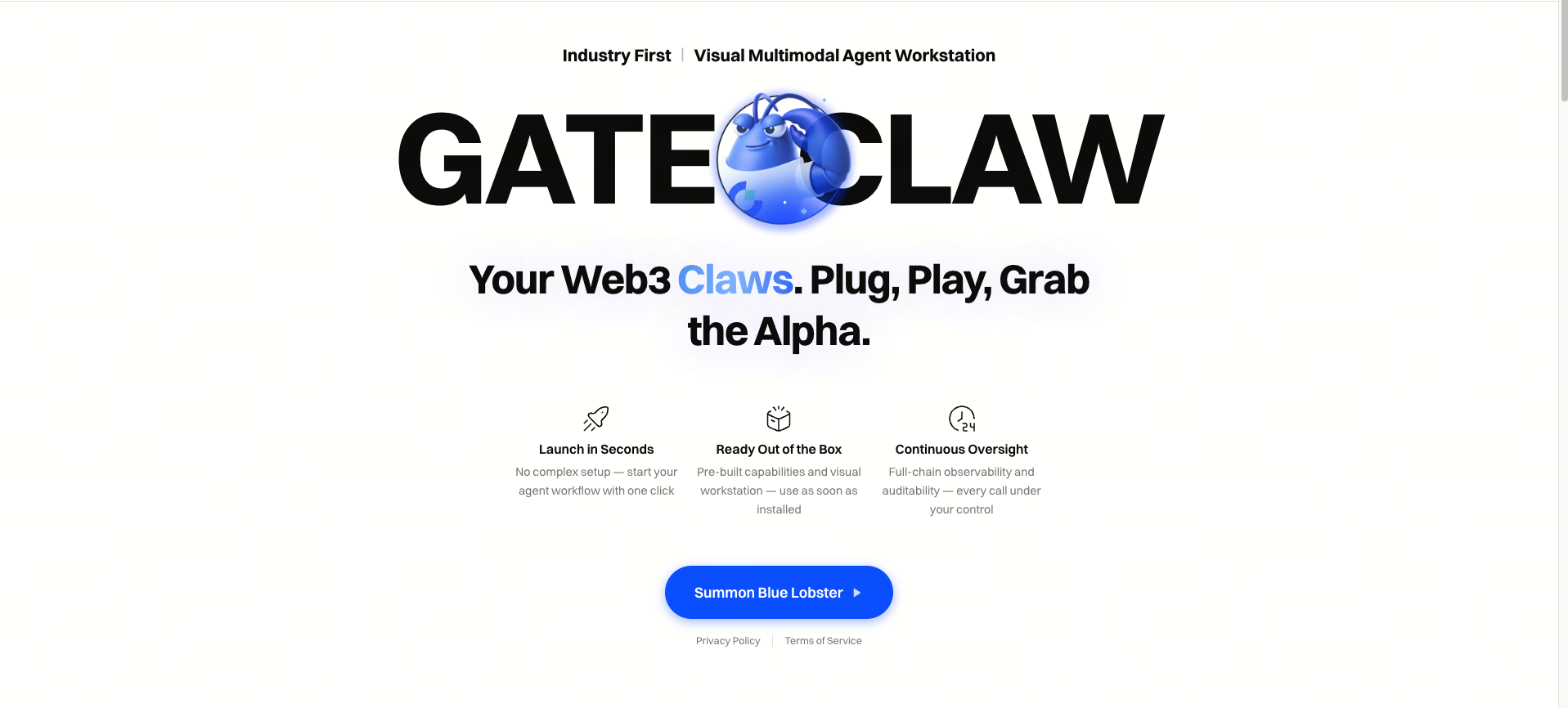
GateClaw will immediately start a conversation with you. You can interact with it using natural language to:
- Check market trends
- Learn about specific crypto projects
- Navigate Gate platform features
- Retrieve Web3 information
No installation or configuration is required to begin using the AI Agent.
Step 2: Explore the Skills Library
GateClaw includes a built-in Skills Library, allowing users to expand the AI's capabilities.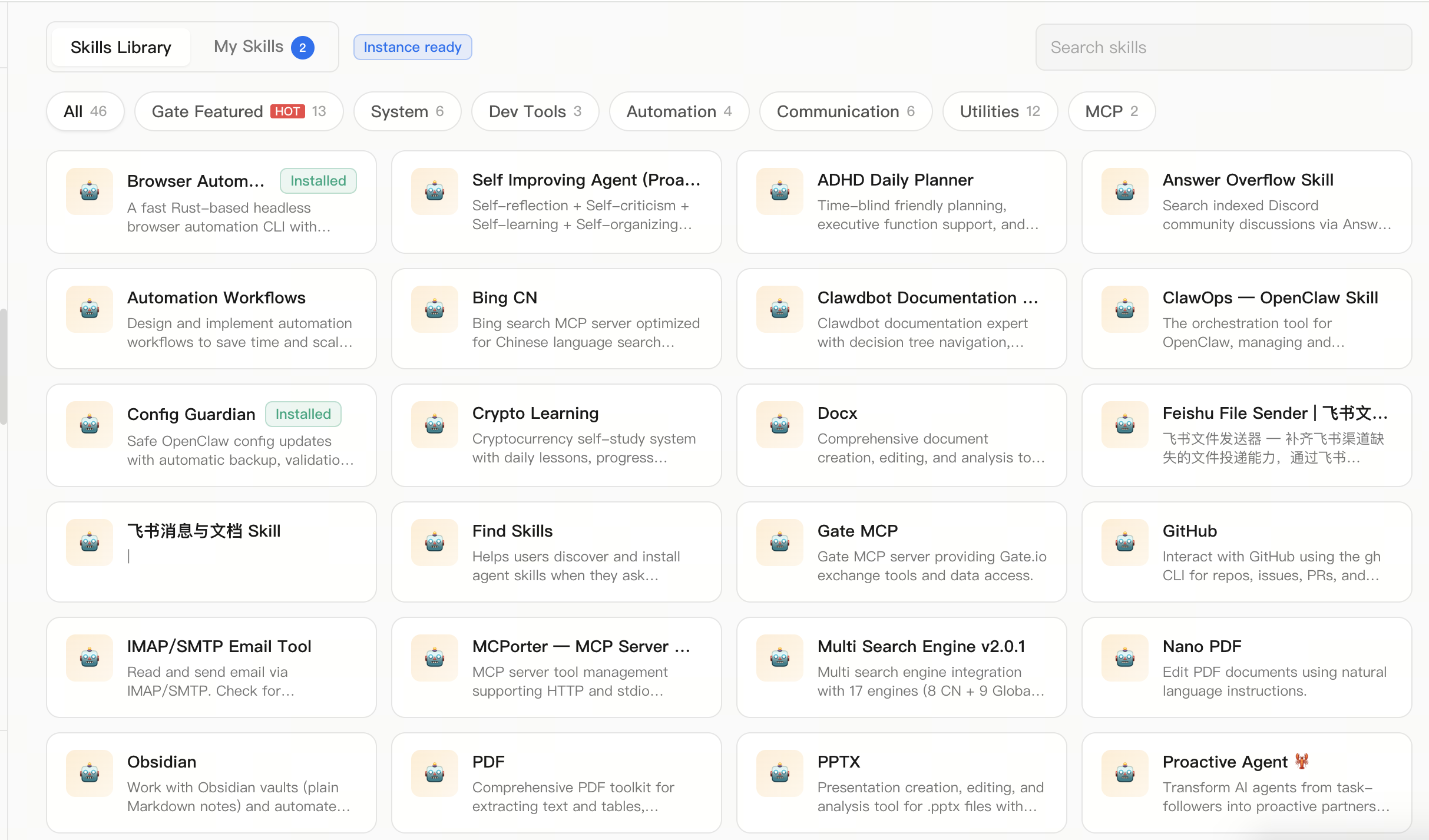
In the Skills Library, you can:
- Browse available skills
- Install new skills
- Manage installed skills
- Use specialized expert assistants
By installing different skills, GateClaw can perform a wider range of tasks such as information retrieval, data analysis, and automation.
Step 3: Connect Your Chat Applications
GateClaw supports multiple communication channels, allowing you to connect it to commonly used messaging apps so the AI can assist you anytime.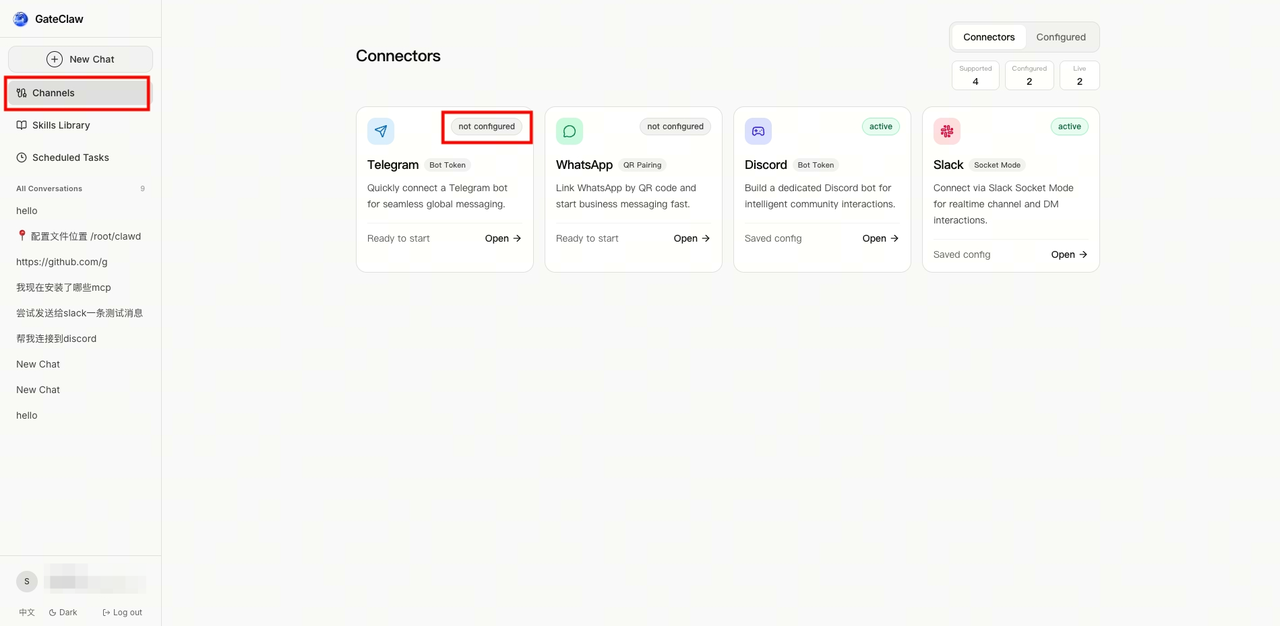
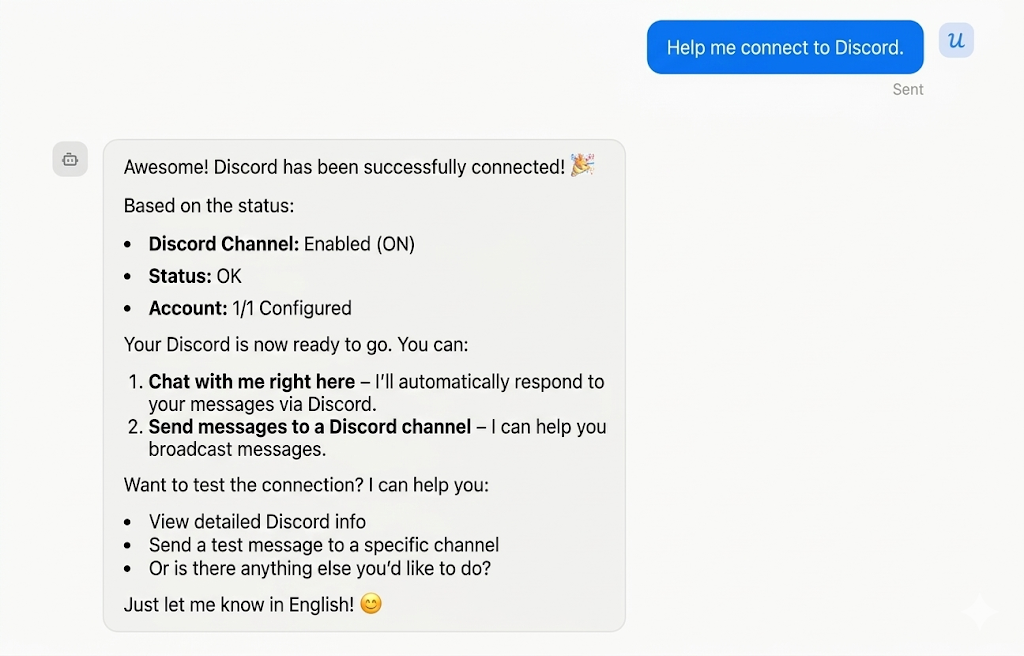
Within the connection settings, you can:
- Bind your preferred chat applications
- Configure different communication channels
You can also simply ask GateClaw in natural language to help configure connections, for example: “Help me connect my messaging app.” Once connected, you can interact with GateClaw through different communication channels.
Step 4: Set Scheduled Tasks
GateClaw supports scheduled tasks, enabling it to automate routine work.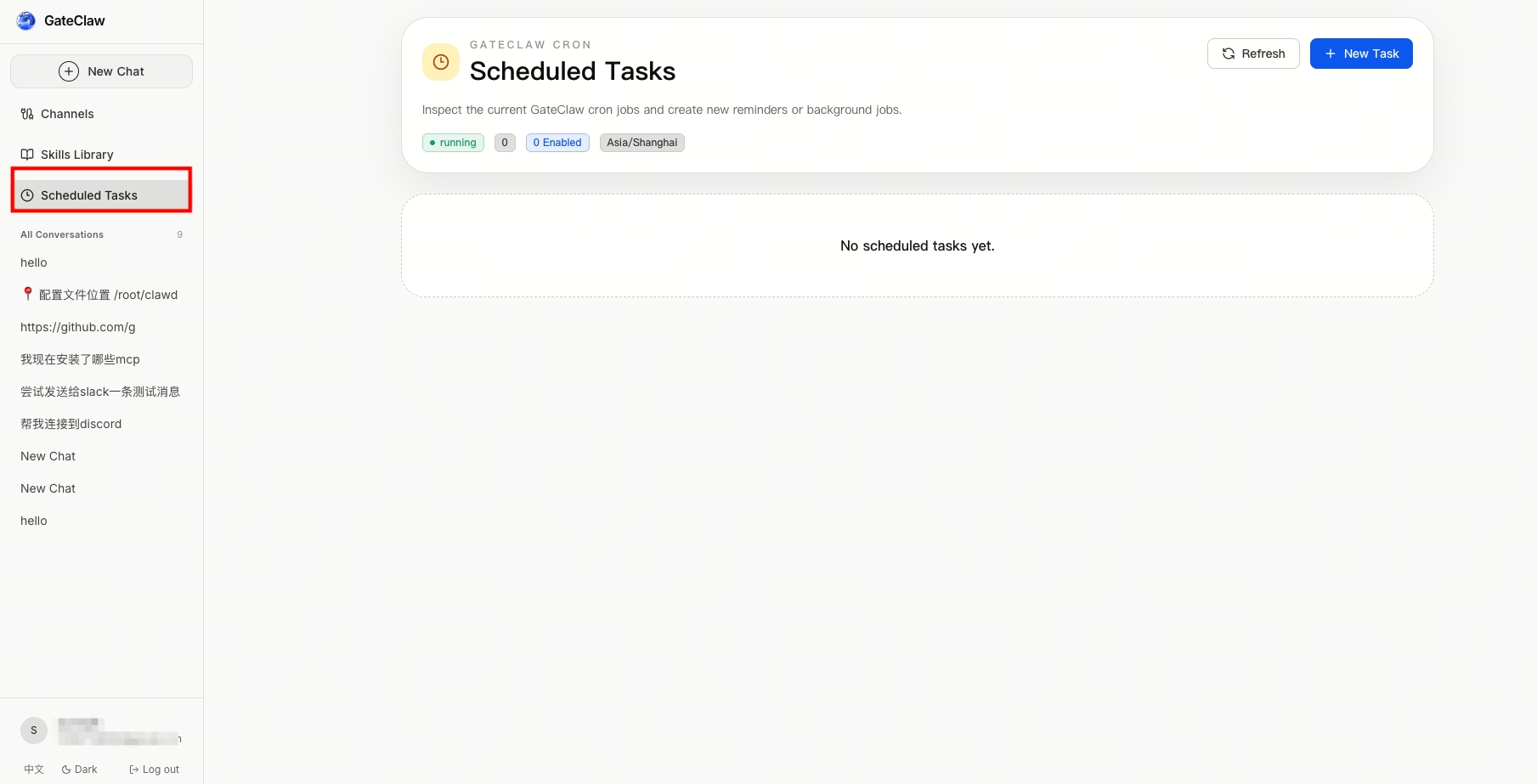
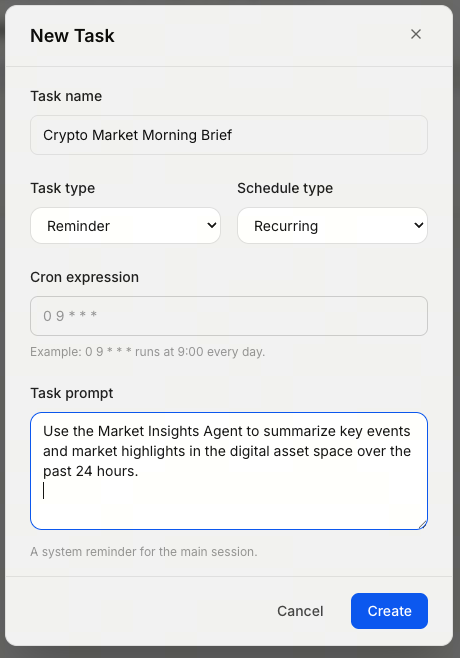
You can create and manage tasks such as:
- Periodically retrieving market updates
- Automating routine workflows
- Regularly organizing or delivering information
Simply set the schedule and task instructions, and GateClaw will execute them automatically. In this way, the AI can function as your 24/7 digital assistant.
What Can GateClaw Do?
GateClaw is designed specifically for digital asset and Web3 scenarios, helping users to:
- Understand market trends
- Retrieve crypto-related information
- Navigate Gate platform features
- Execute automated tasks
- Access Web3 data and insights
Unlike open-source agents that require self-deployment, GateClaw is delivered as a fully productized service by Gate, enabling users to experience AI Agents without technical barriers.
Why Use GateClaw?
Compared to self-deployed AI Agents, GateClaw offers several advantages:
- No environment setup required — no servers or hardware needed
- No maintenance required — no system management or configuration
- Ready to use — start immediately after logging into Gate
- Enhanced security — platform-level security protection
