How to Find Your EVM Address?

2026-01-04 18:31:48
Blockchain
Crypto Tutorial
Ethereum
Layer 2
Web3 wallet
Article Rating : 4
100 ratings
# Introduction An EVM wallet address is your universal 42-character identifier across Ethereum and all EVM-compatible blockchains like BNB Chain, Polygon, and Arbitrum. This guide walks you through locating your EVM address in five simple steps, from wallet setup to verification and secure copying. Whether you're receiving tokens, managing multiple chains, or depositing assets from Gate, understanding your EVM address ensures seamless cross-chain transactions. Learn essential security practices to protect your private keys and seed phrase while confidently navigating the Web3 ecosystem. Perfect for beginners and experienced users seeking clarity on EVM wallet address management.
How to Find Your EVM Address?

What is an EVM Wallet Address?

An EVM wallet address is a unique identifier for your account on Ethereum and other compatible blockchains. It is a 42-character string that starts with "0x," followed by a mix of numbers and letters (e.g., 0x1a5FdBc891c5D4E6aD68064Ae45D43146D4F9f3a).

Think of it as your blockchain "account number"—you use it to receive, store, and send assets like tokens and NFTs. This address is created using encryption techniques that ensure only you have control over your funds.

Key Features of an EVM Address

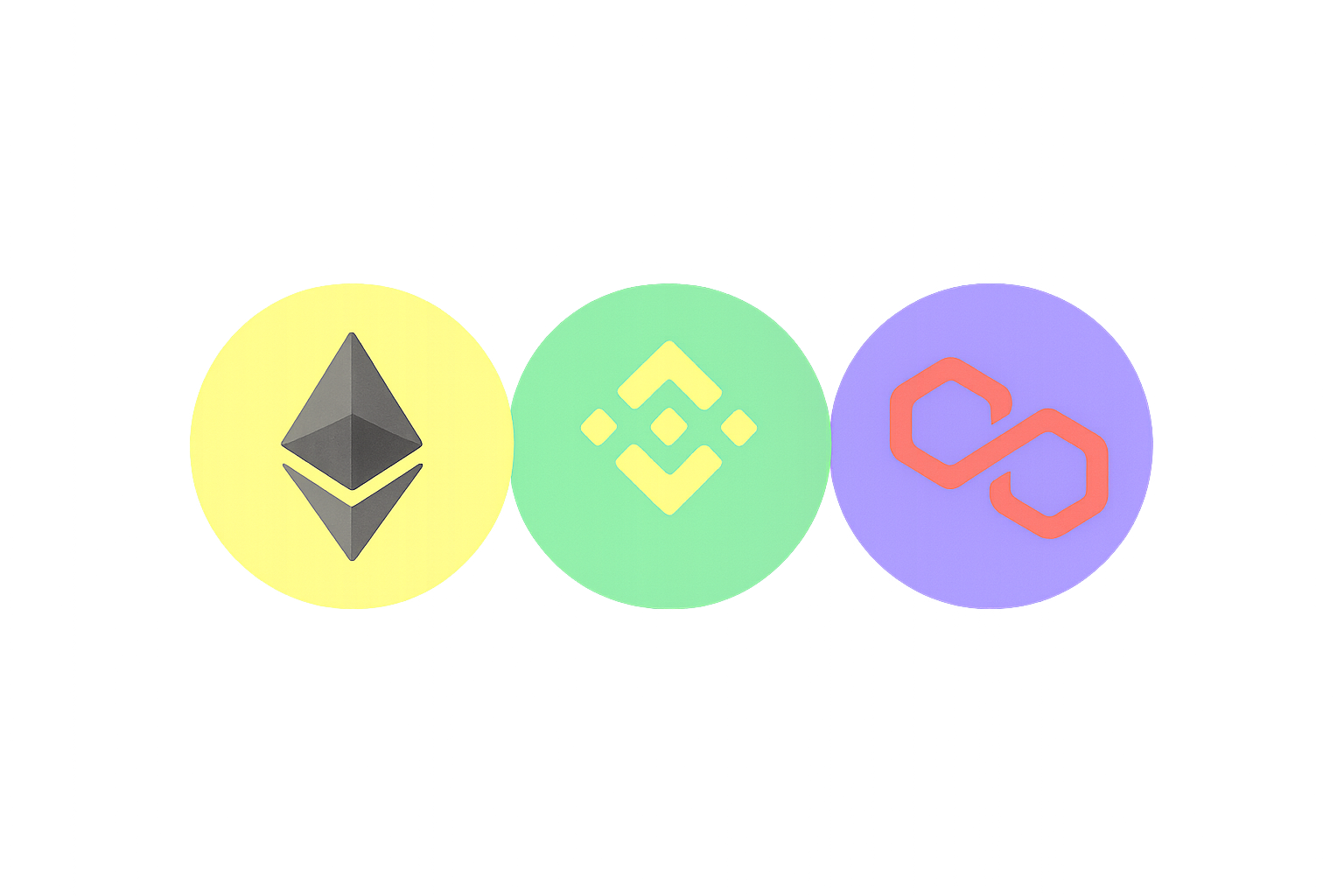
  • Cross-Chain Compatibility: The same address format works across all EVM-compatible blockchains (e.g., Ethereum, BNB Chain, Polygon).
  • Case Sensitivity: Addresses are typically lowercase, though some chains support checksum uppercase formatting.
  • One-Way Generation: Your address is derived from your private key, but the private key cannot be reversed from the address.

Here are some of the major EVM-compatible networks and their native tokens:

Blockchain Native Token Key Features
Ethereum (Mainnet) ETH Most mature smart contract ecosystem
BNB Chain (BSC) BNB Low gas fees, high throughput
Polygon POL Ethereum Layer 2 scaling solution
Arbitrum ETH Optimistic Rollup technology
Optimism ETH Layer 2 solution for faster transactions
Base ETH Ethereum Layer 2 solution
Avalanche C-Chain AVAX High-performance EVM-compatible chain
Morph ETH Consumer-focused Layer 1 network
zkSync Era ETH zk-Rollup scaling solution for Ethereum
Linea ETH zkEVM network built by ConsenSys
Mantle MNT Modular Layer 2 network
Blast ETH Efficient Ethereum Layer 2 solution
Berachain BERA Layer 1 network built with Cosmos SDK
Story IP Layer 1 blockchain for intellectual property
Scroll ETH Security-focused Ethereum scaling solution

How to Find Your EVM Address

Your EVM address remains the same across all EVM-compatible networks, such as Ethereum, BNB Chain, and Polygon. Follow these steps to find and copy your address:

Step 1: Download and Set Up Your EVM Wallet

Install a compatible EVM wallet application and either create a new wallet or import an existing EVM-compatible one. This ensures you have a secure environment to manage your blockchain assets.

Step 2: Locate Your EVM Address

Once your wallet is set up, navigate to the main wallet interface. If "All Networks" is displayed, the address shown is your EVM address. This is the universal address you can use across all EVM-compatible chains.

Step 3: Copy Your Address

Tap or click the Copy icon next to your EVM address to copy it to your clipboard. This address can now be shared securely with others for receiving funds or tokens.

Step 4: Switch Networks If Needed

If a non-EVM network (e.g., Solana) is currently selected, access the network switch feature in your wallet. Choose an EVM-compatible chain such as Ethereum, BNB Chain, or Polygon to ensure you're working with the correct network.

Step 5: Verify and Use Your Address

After confirming the correct network is selected, copy your EVM address again if needed. Use this address in the receiving address field when depositing tokens from exchanges or other wallets, or share it when requesting payments from others.

Security Best Practices

When managing your EVM address and wallet:

  • Verify Recipient Addresses: Always double-check addresses before sending funds, as blockchain transactions are irreversible.
  • Confirm Target Chains: Ensure you're sending assets to the correct blockchain network to avoid loss of funds.
  • Safeguard Private Keys: Never share your private key with anyone. Your private key is the only way to access and control your funds.
  • Back Up Your Seed Phrase: Store your seed phrase (recovery phrase) in a secure, offline location. This is essential for recovering your wallet if needed.
  • Use Multi-Chain Mode: If your wallet supports it, utilize multi-chain functionality to manage assets across different networks securely.

Conclusion

Your EVM address is your gateway to Web3, enabling cross-chain transactions, self-custody, and transparent on-chain activity. With a properly configured EVM wallet, managing your address is simple and secure, empowering you to explore the blockchain world confidently.

Remember that blockchain transactions are permanent and cannot be reversed. Always take time to verify recipient addresses, confirm the correct network, and maintain the security of your private keys and seed phrase. By following these best practices, you can safely and effectively manage your EVM address across multiple blockchain networks.

FAQ

What is an EVM address? How does it differ from a regular wallet address?

An EVM address is a 42-character hexadecimal string starting with '0x' used on Ethereum Virtual Machine-compatible blockchains like Ethereum, BSC, and Avalanche. Non-EVM addresses follow different blockchain standards and formats, making them incompatible across chains.

How to Find Your EVM Address in MetaMask Wallet?

Open MetaMask, click the account icon at the top right, and select "Copy address to clipboard". Your EVM address starts with "0x" followed by 40 hexadecimal characters. This address works across all EVM-compatible blockchains like Ethereum, BNB Chain, and Polygon.

How can I verify if my EVM address is valid?

A valid EVM address is 42 characters long and starts with 0x. Open your wallet, select the Ethereum network, click 'Receive' to view your address. Verify it matches this format to confirm validity.

Are EVM addresses the same across different blockchain networks such as Ethereum, Polygon, and BSC?

Yes, EVM addresses maintain the same format across different networks, all starting with 0x followed by 40 hexadecimal characters. However, each EVM-compatible network has its own unique address ecosystem. The same private key generates different addresses on different networks.

How to import an existing EVM address to a new wallet?

Open your new wallet, select import existing wallet, choose private key or seed phrase as import method, enter your credentials, set wallet name and password, then click import to complete the process.

Is an EVM address safe? Is there risk in sharing my EVM address?

EVM addresses themselves are safe to share publicly. However, avoid exposing your holdings or connecting addresses to your identity, as it may attract scams or targeted attacks. Never share your private key or seed phrase.

* The information is not intended to be and does not constitute financial advice or any other recommendation of any sort offered or endorsed by Gate.
Related Articles
How to Locate Your EVM Wallet AddressEffortlessly

How to Locate Your EVM Wallet AddressEffortlessly

This guide demystifies the process of locating your EVM wallet address, vital for participating in blockchain networks. It explains the role and structure of EVM addresses, highlighting their cross-chain functionality in ecosystems like Ethereum, BNB Chain, and Polygon. By outlining steps to access and manage your EVM wallet using crypto applications, the article addresses practical needs for secure transactions and asset custody. Ideal for both novices and seasoned users, it ensures efficient management across networks, emphasizing security of private keys and seed phrases. Keywords include EVM wallet, Ethereum, cross-chain compatibility, and secure transactions.
2025-12-19 06:45:09
How to Find Your EVM Address

How to Find Your EVM Address

# Introduction Discover how to easily locate your EVM address across Ethereum and compatible blockchains. This comprehensive guide explains what EVM addresses are, their cross-chain compatibility, and provides step-by-step instructions for finding your address in professional wallets like Gate. Learn essential security practices for protecting your private keys, explore 15+ major EVM networks, and get answers to common questions about address management. Whether you're new to Web3 or managing multiple chains, this article equips you with the knowledge to confidently navigate blockchain transactions and asset storage.
2026-01-04 04:31:39
Layer 2 Scaling Made Easy: Bridging Ethereum to Enhanced Solutions

Layer 2 Scaling Made Easy: Bridging Ethereum to Enhanced Solutions

The article delves into Layer 2 solutions, focusing on optimizing Ethereum's transaction speed and cost efficiency through bridging. It guides users on wallet and asset selection, outlines the bridging process, and highlights potential fees and timelines. The article caters to developers and blockchain enthusiasts, providing troubleshooting advice and security best practices. Keywords like "Layer 2 scaling," "bridge services," and "optimistic rollup technology" enhance content scannability, aiding readers in navigating Ethereum's ecosystem advancements.
2025-10-30 08:39:44
How long does an ETH transaction take?

How long does an ETH transaction take?

This article provides an in-depth analysis of Ethereum transaction times, offering readers insights into factors such as network congestion, gas fees, and transaction complexity. It addresses critical issues like optimizing Ethereum transfers, mastering gas fees, and implementing advanced strategies for accelerating transactions, making it an essential resource for users seeking to enhance their blockchain experience. Key elements such as mempool dynamics, layer two solutions, and smart contract optimization are covered, making it a must-read for both new and experienced Ethereum users. Gate provides tools to help users manage transactions efficiently, increase speed, and reduce costs.
2025-10-22 03:51:45
What is Ether Gas?

What is Ether Gas?

This article delves into the concept of Ether Gas, crucial for empowering transactions on the Ethereum blockchain. It explains the relationship between gas units and ETH, highlighting the dynamics of transaction costs and how network conditions affect gas prices. Strategies for minimizing gas fees are shared, alongside a detailed analysis of Ethereum’s congestion patterns. With insights on Layer 2 solutions and optimization methods, the article serves traders and developers seeking to reduce costs and enhance transaction efficiency. Key topics include gas functionality, fee anatomy, optimization techniques, and congestion navigation.
2025-10-29 03:32:37
Understanding Cold Wallets: Top 3 Options for Secure Crypto Storage

Understanding Cold Wallets: Top 3 Options for Secure Crypto Storage

This article provides an in-depth look at cold wallets, offering a comprehensive guide to their function and importance in securing cryptocurrency assets. It examines the mechanics of cold wallets—including offline key management—and reviews top options like Ledger, Trezor, and SafePal, catering to users prioritizing asset security. The article addresses the safety benefits, operational complexities, and strategic advantages of cold wallets for serious cryptocurrency investors. With a focus on asset protection and best practices for transfer, it underscores cold wallets as essential tools for preserving digital wealth.
2025-12-22 23:41:41
Recommended for You
Top Hot & Promising Meme Coins on BNB Chain
Top Hot & Promising Meme Coins on BNB Chain

# Top Meme Coins for Investment in 2024: Article Overview This comprehensive guide explores the explosive growth of meme coins on BNB Chain, analyzing six standout projects—$FOUR, $GIGGLE, $PALU, $BIANRENSHENG, $PUP, and $MUBARAK—that exemplify community-driven value creation and cultural momentum. The article addresses investor needs by examining success factors including organic launches, community engagement, cultural resonance, and strategic timing while providing essential risk management insights. Readers will discover how to evaluate meme coin projects, understand BNB Chain's competitive advantages for trading via Gate, and recognize the critical difference between speculative hype and authentic ecosystem integration. The content reveals why these particular tokens achieved notable market capitalization despite inherent volatility, offering actionable frameworks for identifying promising opportunities. Structured from ecosystem overview through individual case studies to practical considerations, this
2026-01-07 11:51:50
Bitcoin ETF Flows and BTC Price Outlook: Reversal on the Horizon?

Bitcoin ETF Flows and BTC Price Outlook: Reversal on the Horizon?

# Article Introduction This comprehensive analysis examines how Bitcoin ETF inflows reshape market dynamics and price stability. The article addresses institutional investors, crypto traders, and portfolio managers seeking to understand ETF capital flows' impact on BTC valuations. It progresses from volatility reduction trends, through ETF-price correlations, to recent market reversals and on-chain whale behavior, culminating in technical indicators and outlook. Key findings reveal ETF inflows compress volatility from 4.2% to 1.8%, while November 2025 data shows $3.79 billion outflows preceded a 36% correction. Recent $238.47 million positive flows signal potential market bottoms. The analysis integrates Gate trading data, technical analysis (RSI, Sharpe ratio), and whale accumulation patterns to provide actionable insights for timing market entries and evaluating Bitcoin's institutional adoption as a legitimate investment vehicle.
2026-01-07 11:46:41
Chainlink Dominates RWA Sector with Strong Development Activity
Chainlink Dominates RWA Sector with Strong Development Activity

# Chainlink Update: Growth in RWA Sector and Its Market Influence Chainlink dominates the Real-World Assets tokenization sector with unmatched development activity and institutional-grade infrastructure. This article examines Chainlink's technical leadership, exploring how its oracle technology, cross-chain interoperability, and settlement rails power the $35 billion RWA market. Designed for investors and blockchain professionals, the guide analyzes Chainlink's competitive advantages, development strategy, and growth prospects as traditional finance embraces tokenization. Through technical insights and market positioning analysis, readers gain clarity on Chainlink's role in the emerging asset tokenization ecosystem and its long-term value potential.
2026-01-07 11:36:28
Goldman Sachs Acquires ETF Issuer for $2 Billion, Sparking Debate on Crypto's Future
Goldman Sachs Acquires ETF Issuer for $2 Billion, Sparking Debate on Crypto's Future

# Goldman Sachs' $2B ETF Deal: Exploring the Ripple Effects on the Crypto Industry Goldman Sachs' $2 billion acquisition of Innovator Capital marks a pivotal moment in cryptocurrency mainstream integration, reshaping institutional investment landscapes. This article examines how traditional finance's strategic ETF consolidation accelerates crypto legitimacy, expands regulated Bitcoin product offerings, and attracts institutional capital flows. Discover the transformative impact on market liquidity, accessibility for mainstream investors, and the ongoing debate between crypto adoption and decentralization principles. Perfect for investors, financial professionals, and crypto enthusiasts seeking clarity on institutional cryptocurrency trends. Explore the strategic implications driving the future convergence of traditional finance and digital assets on platforms like Gate.
2026-01-07 11:34:01
Bull Market Cycle: Essential Factors, Indicators, and Strategies to Know

Bull Market Cycle: Essential Factors, Indicators, and Strategies to Know

Learn how to spot the beginning of a cryptocurrency bull cycle: identify early signs of upward trends, analyze essential indicators, apply trading strategies on Gate, and manage risks effectively. This complete guide is tailored for web3 traders and investors.
2026-01-07 11:05:43
TradFi vs DeFi: How Traditional Finance is Integrating with Blockchain on Hedera

TradFi vs DeFi: How Traditional Finance is Integrating with Blockchain on Hedera

# TradFi vs DeFi: How Traditional Finance is Integrating with Blockchain on Hedera This article examines how traditional finance institutions are bridging the gap with decentralized finance through blockchain technology, specifically leveraging Hedera's enterprise-grade infrastructure. It contrasts TradFi's centralized control model with DeFi's decentralized autonomy, revealing why banks are adopting blockchain for settlement speed, cost reduction, and 24/7 market access. The piece explores Hedera's role in enabling institutional-compliant tokenization, asset management, and cross-chain operations through smart contracts. Readers discover practical hybrid finance benefits—including $28.8M annual savings examples and deterministic finality consensus—positioning this guide for financial institutions, blockchain developers, and investors evaluating Web3 integration. The comprehensive framework demonstrates how tokenized assets, embedded compliance, and instant settlement are reshaping financial infrastructure b
2026-01-07 11:05:14