


1.What is spot grid trading?
selling hight and buying low.
2. In which market conditions are spot grid strategies fit?
3. Which trading pairs are spot grid strategies fit for?
pairs with large fluctuations to earn more profits.
4. Can I stop loss in spot grid trading?
5. Is it possible that the total handling fee exceeds the grid profit?
6. "Smart Grid" or "Configure Grid Manually"?
greater than or equal to the minimum investment amount.) If you are experienced in spot grid trading, you can choose "Configure Grid Manually" to configure the parameters according to your needs.
7. Where to start spot grid trading?
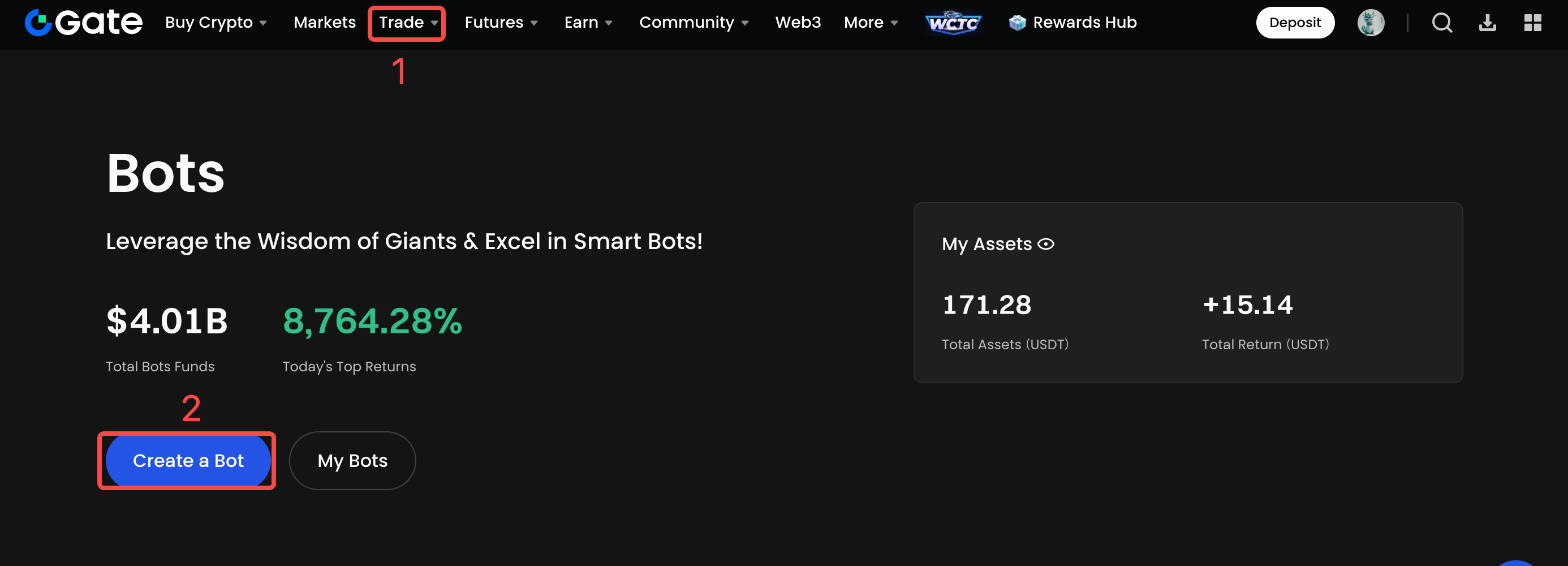
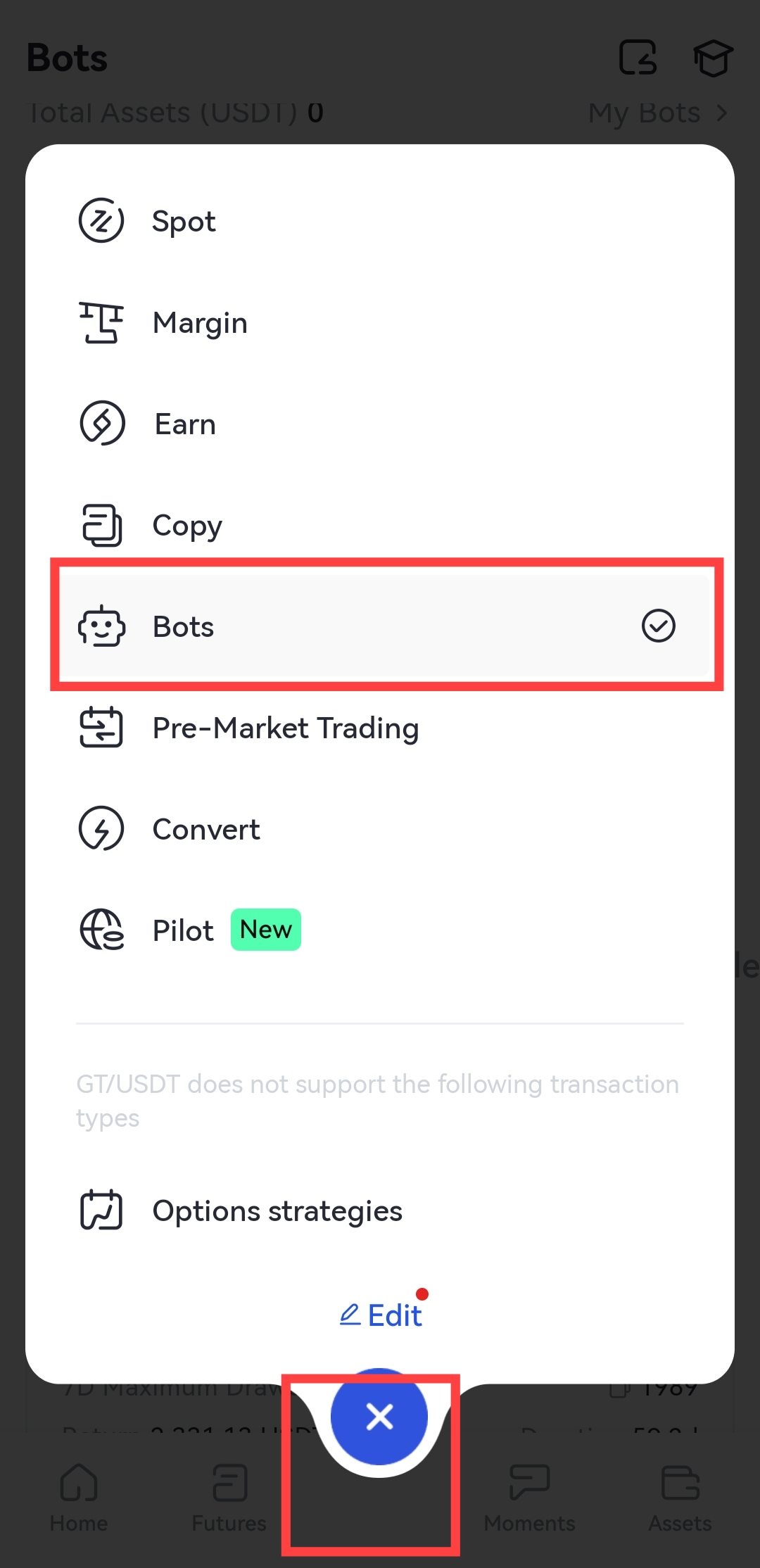
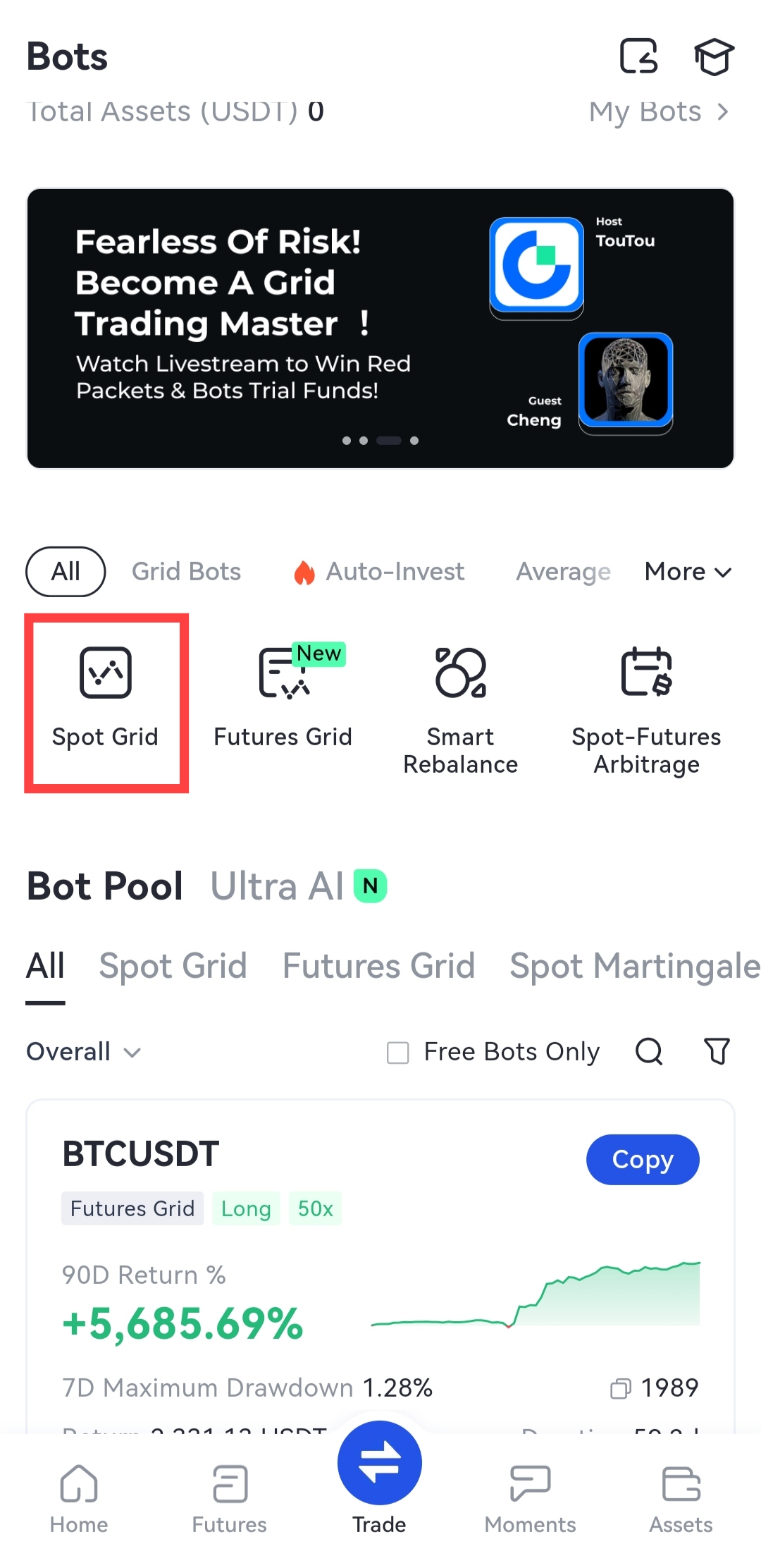
App:Click on “Trade” at the bottom of the page > Bots > Spot Grid
8. Parameters in grid configuration
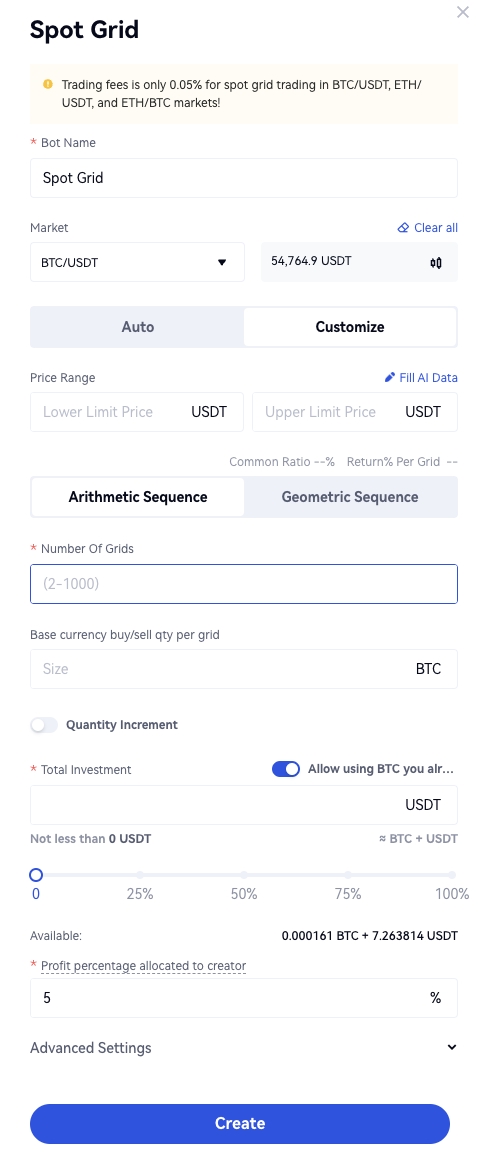
Fill AI Data: Automatically getting AI calculated parameters and filling in.
Lower limit price:
The lowest buying price, which if the latest market price is lower than, no purchase orders will be placed. The lower limit price can not be executed as the selling price in the strategy.
Upper limit price:
The highest selling price, which if the latest market price is higher than, no selling orders will be placed. The upper limit price cannot be executed as the purchase price in the strategy.
Number of grids: The number of executed grids, varying from 2 to 1000.
Common difference :
Suppose the value of the common difference is q, the upper limit price is a1, the lower limit price is a2,and the number of grids is n.
Arithmetic:

Geometric:
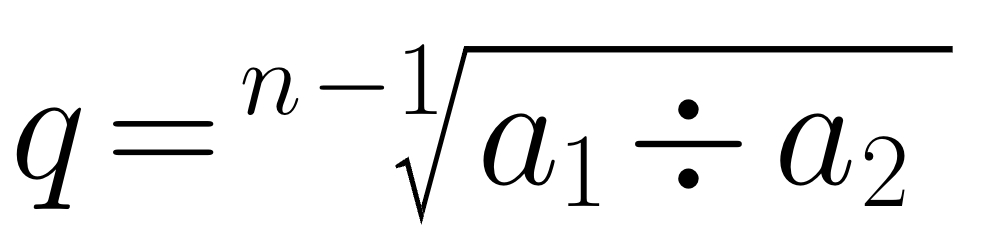
(Note: When calculating the prices, the common difference is 1+q.)
Rate of return per grid :
Suppose the value of the common difference is q, the upper limit price is a1, the lower limit price is a2,and the number of grids is n.
Arithmetic:

Geometric:

Base currency buy/sell qty per grid: The amount of the base currency in each grid.
Quantity increment:
"Quantity Increment" is disabled by default. After enabling it, you can choose to increase the buying/selling amount of each grid "Per Quantity" or "Pro Rata".
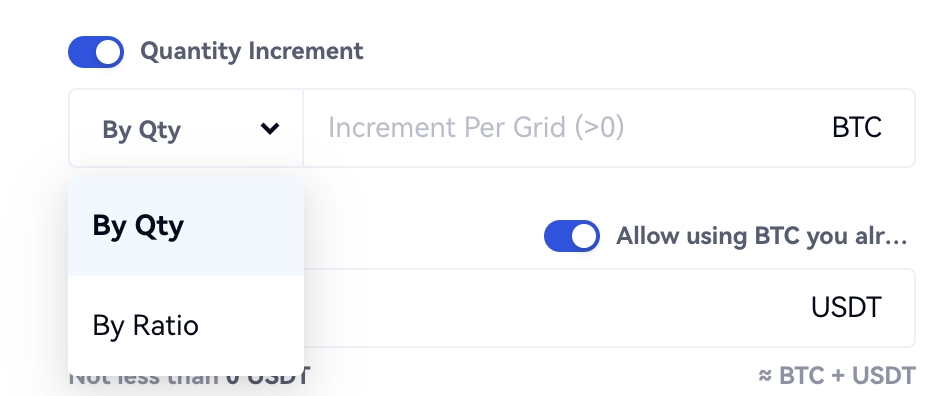
Example:
The basic size of a grid is 1 and the set quantity increment is 2. Then the first grid can buy/sell 1BTC, the second grid can buy/sell 1+2=3BTC, the third grid can buy/sell 1+2+2=5BTC...
Stop-loss price:
When the market price is less than or equal to this price, stop-loss will be triggered. The stop-loss price must be lower than the lower limit price.
Take-profit price:
When the market price is greater than or equal to this price, take-profit will be triggered. The take-profit price must be higher than the upper limit price.
Trigger price of the strategy:
Only when the latest market price is lower than or equal to the trigger price will the strategy be activated. When configuring the strategy, the set trigger price must be lower than the latest market price and fall in the price range of the grids.
Settlement options (optional)
Sell (base currency) when it terminates: When enabled, your holdings will be used to buy USDT at market price when the strategy terminates.
HODL mode: When enabled, your earnings will be exchanged for the base currency in real-time.
Note:"Sell (base currency) When It Terminates" and "HODL Mode" can be enabled at the same time.
Disclaimer
The content provided herein is for reference and educational purposes only and does not constitute any financial, investment, trading, or legal advice, nor does it constitute an offer or solicitation to buy or sell any digital assets. Gate makes no express or implied representations or warranties regarding the accuracy, completeness, or timeliness of the information contained herein. Product features, interfaces, rules, and fee structures may be updated or adjusted at any time. Please refer to the latest announcements and the actual information displayed on the Gate platform for the most accurate details.
Digital asset investments involve significant risk, and prices may fluctuate substantially. You may lose the entire amount of your investment. Please make decisions cautiously based on your own financial situation and risk tolerance after fully understanding the associated risks. If necessary, you are advised to consult an independent professional financial or legal advisor.
For more information about potential risks, please refer to Gate's Risk Disclosure and User Agreement.
